Are you sure that’s really them?
A pocket-sized defense against deepfake impersonation on phone and video calls. One HTML file, one shared QR, one rotating code that proves you’re really talking to each other.
What it is
Trust Me is a single web page you download once and keep on your computer. Open it, name a pairing (e.g. “Mom & Dad”), and it generates a temporary QR code. You and the people you want to verify with scan that same QR with any authenticator app — Google Authenticator, Microsoft Authenticator, 1Password, whatever you already use.
From that moment on, your phones all show the same six-digit code, refreshing every 30 seconds. If someone calls claiming to be your daughter, your CFO, or your IT desk, you ask them to read off the current Trust Me code. If it matches yours, it’s really them. If it doesn’t, it isn’t.
Why you might want this
Voice and video clones are now cheap, fast, and good enough to fool people who know each other. A shared rotating code is a small, calm, low-tech check that defeats the whole category at once.
Family
The “grandkid in trouble” scam, the panicked-spouse call, the kid asking for money from a strange number. Ask for the code first.
Work
Someone claiming to be your CFO, IT desk, or outside counsel wants you to wire money, reset MFA, or share a credential. Pair with them once; verify forever.
Crisis & travel
When stakes are high and you can’t see each other — medical emergencies, hostage hoaxes, kidnap scams — have a code already established.
Sources & clients
Journalists, attorneys, and therapists who take calls from sensitive contacts can confirm identity without exposing a password or relying on caller ID.
What you’ll see
Three screens, no accounts, no network calls. The page works completely offline once it’s on your computer.
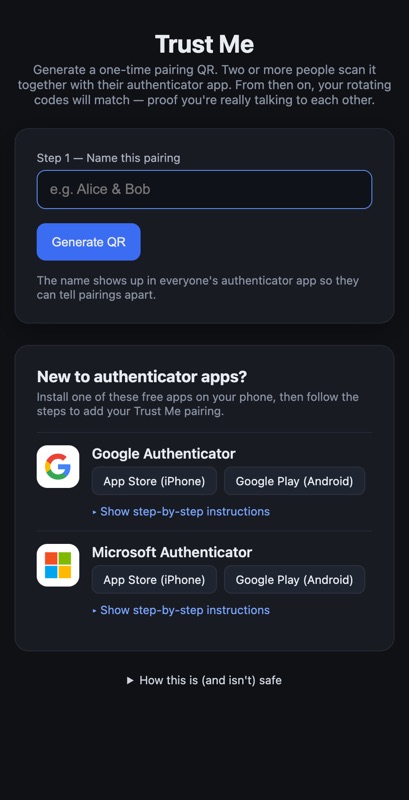
Name the pairing so it’s labeled in everyone’s authenticator app.
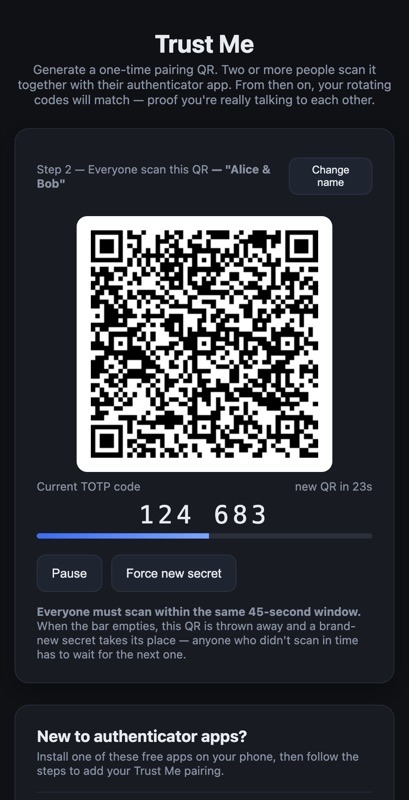
Everyone scans the same QR. A shared rotating code appears.
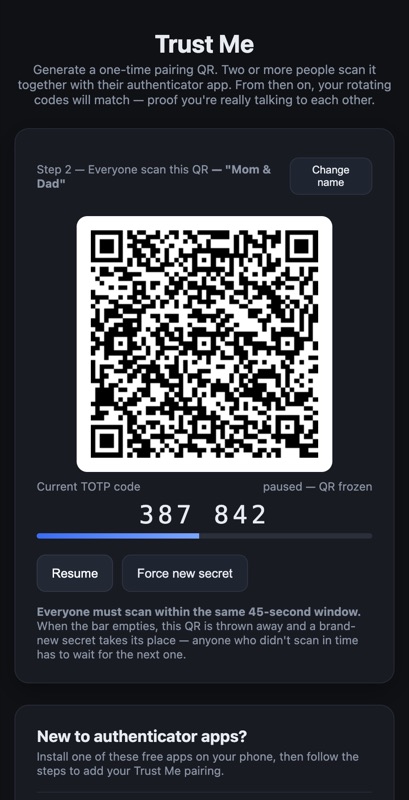
Pause the QR if you’re walking a less-technical person through scanning.
Get Trust Me
The whole tool is one HTML file you download and double-click. There’s no installer, no account, no subscription, and no network traffic once it’s open.
TrustMe.html and README.txt.
How to download, run, and verify
What you’ll get
One file — TrustMe.html — and a README.txt with the same details shown here. The HTML file is the whole app; there’s no installer and no account to create.
How to run it
- Click Download Trust Me above. A Google Drive folder will open with two files:
TrustMe.htmlandREADME.txt. - Click the Download button next to
TrustMe.htmland save it to your computer (Downloads folder is fine). GrabREADME.txttoo if you’d like a permanent copy of the verification details. - Mac: double-click the file. It opens in your default browser. Windows: same — if Windows asks what to open it with, choose your browser.
- That’s it. The page works completely offline.
Verify the file is genuine
This is the published SHA-256 hash of TrustMe.html:
To check that the file you downloaded matches, run one of these in a terminal in the folder where you saved it. Compare the output to the value above:
- Mac / Linux:
shasum -a 256 TrustMe.html - Windows (PowerShell):
certutil -hashfile TrustMe.html SHA256
The hash is published here, on a page I control, on purpose. If someone tampered with the file in transit, the hashes won’t match — and you’ll know not to trust it.